Wane
Never miss a return window or a warranty deadline again.
Not yet on the App StoreMost receipt apps either file everything for tax season, or vault photos nobody looks at again. Neither tells you the thing that actually costs money: that the blender goes back in nine days, or that the drill's three-year warranty covers the repair it needs right now.
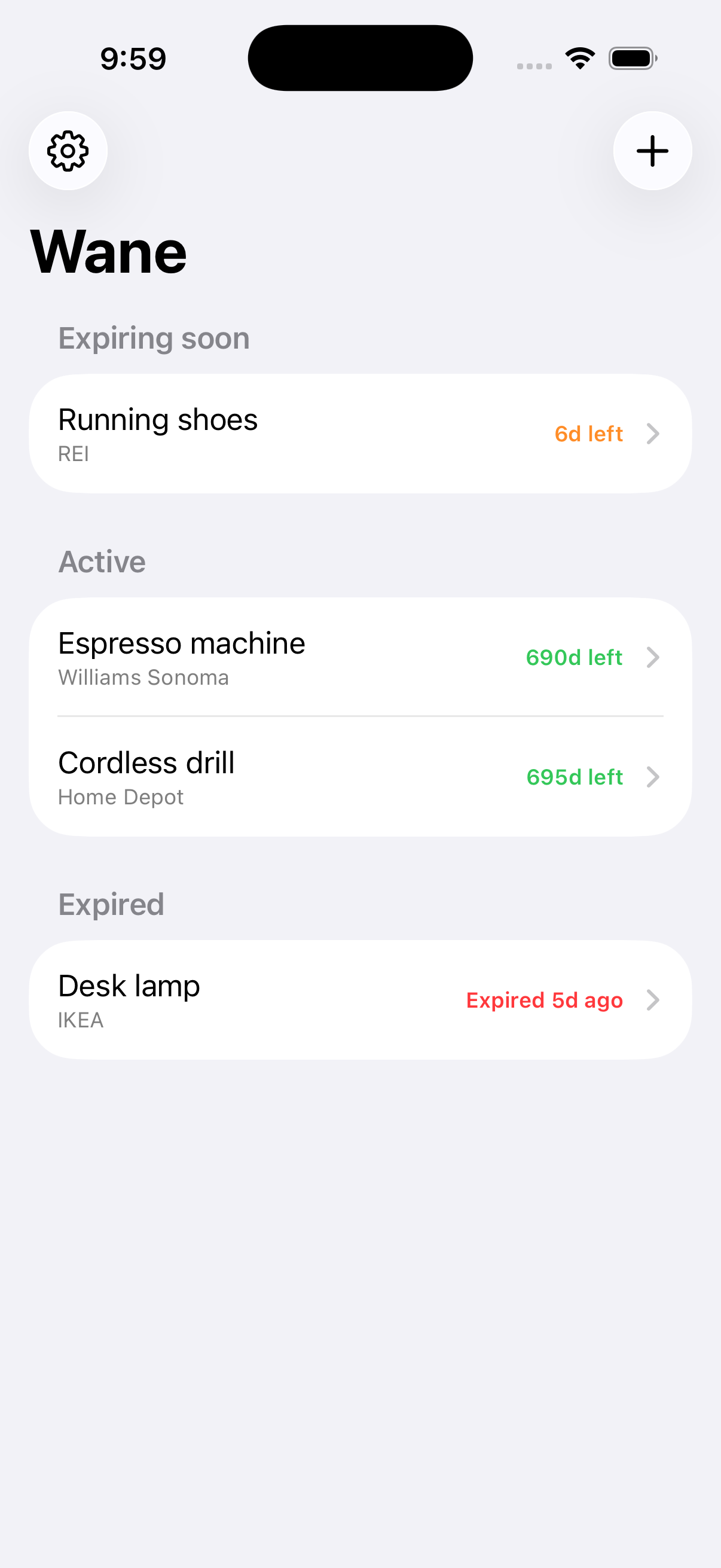
Wane tracks one thing — a deadline — and takes it seriously. Add an item, give it a return window or a warranty length, and it lands in one of three lists: active, expiring soon, or expired. Two reminders, a week out and the day before, mean the deadline finds you instead of the other way around.
Support
Questions, bugs and feature requests all go to the same place:
Open an issue on GitHub
The fastest way to reach me. You will need a free GitHub
account.
Common questions
I paid, but Pro is not showing up
Open Settings → Upgrade to Pro and tap Restore purchases. Your purchase is tied to your Apple Account, not to this phone, so it will come back on a new device or after reinstalling — make sure you are signed in with the same Apple Account you bought it on.
How accurate is the receipt scan?
It is a shortcut, not a guarantee. Wane runs on-device text recognition over the photo and takes a guess at the merchant, the date and the total — every guess lands in an editable field, so a bad read is a quick edit rather than a wrong record.
Can I attach a warranty card or an emailed receipt instead of a photo?
Yes — import a PDF from the add-item screen instead of scanning or choosing a photo. It's kept alongside the item exactly like a photo would be.
What happens after the free limit?
Wane tracks up to 12 open items for free. Past that, Pro is a single payment that removes the limit for good — no subscription.
Where is my data, and how do I delete it?
On your phone, in the app's own storage, and nowhere else. There is no account and no server. Deleting the app deletes the data with it.
Wane is a reminder tool, not a record of your legal rights. Always check the actual receipt, warranty card or store policy before relying on a date shown in the app.